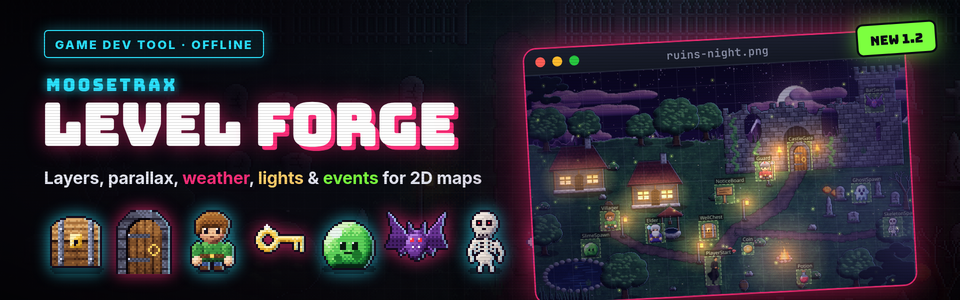
MooseTrax Level Forge
A downloadable tool for Windows, macOS, and Linux
Your map. Now a living level.
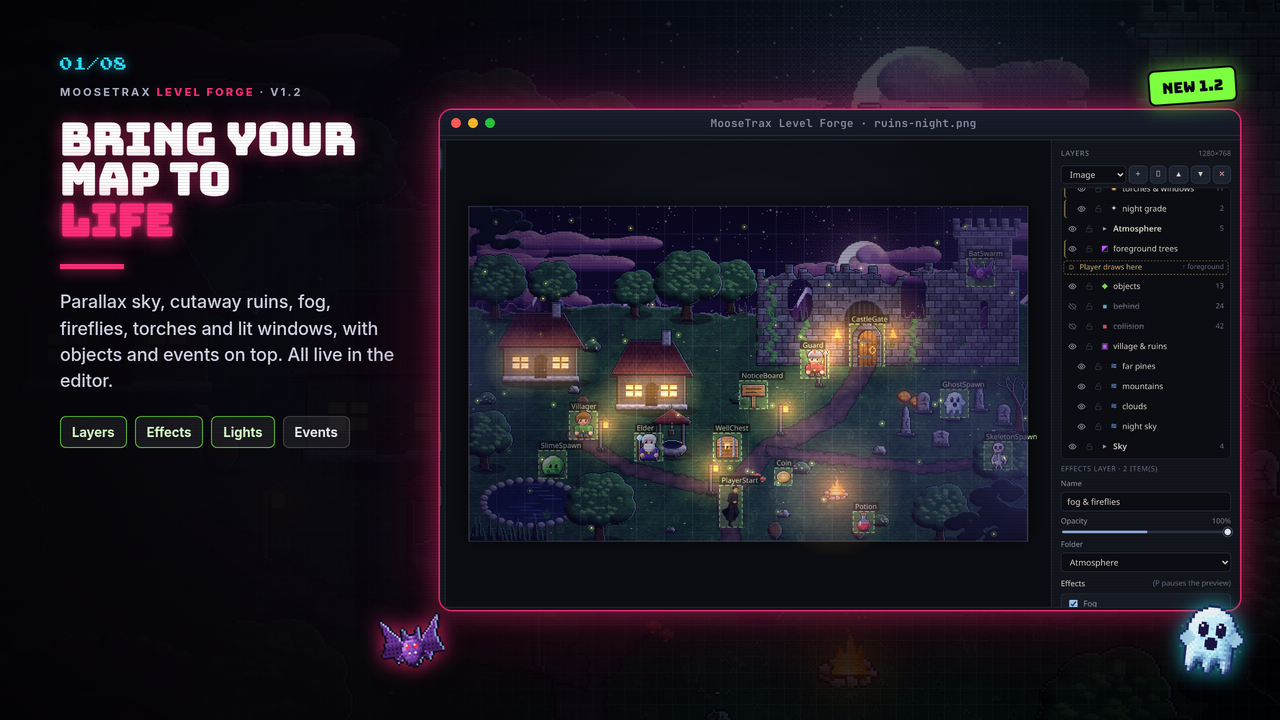
MooseTrax Level Forge (formerly Map Collision Painter) is a focused editor for 2D games built on big painted map images. Paint the walls and walk-behind areas, place NPCs, chests, doors and monster spawns with RPG-style events, and now stack layers, parallax skies, weather and flickering lights on top, then export it all to your engine.
It runs offline, as a desktop app or in your browser. No account, no internet. Your maps never leave your computer.
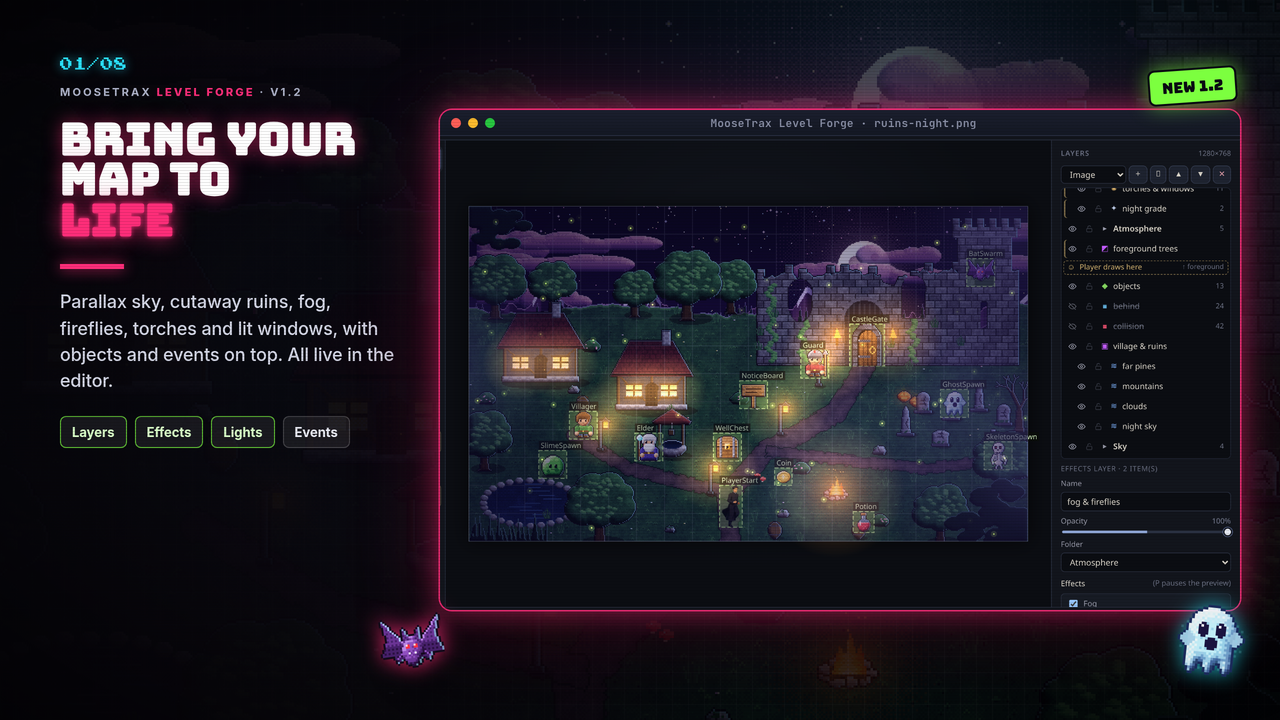
New in 1.2: Layers, parallax, weather & lights
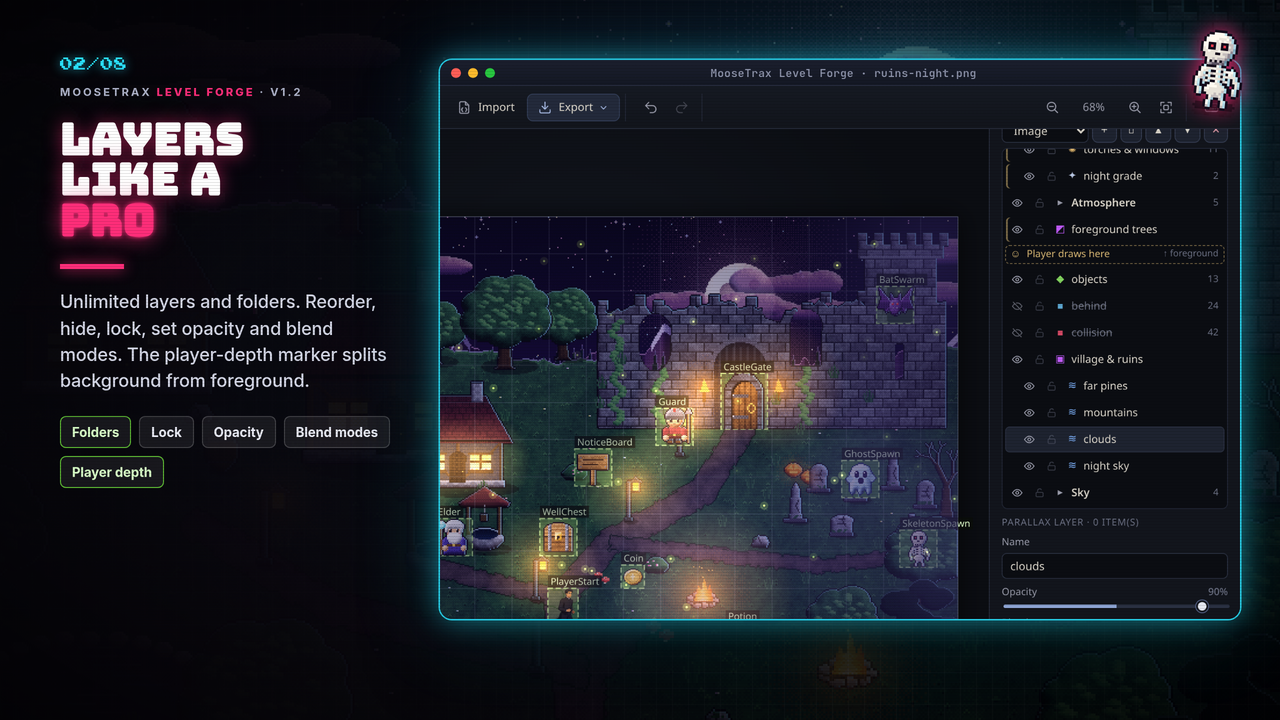
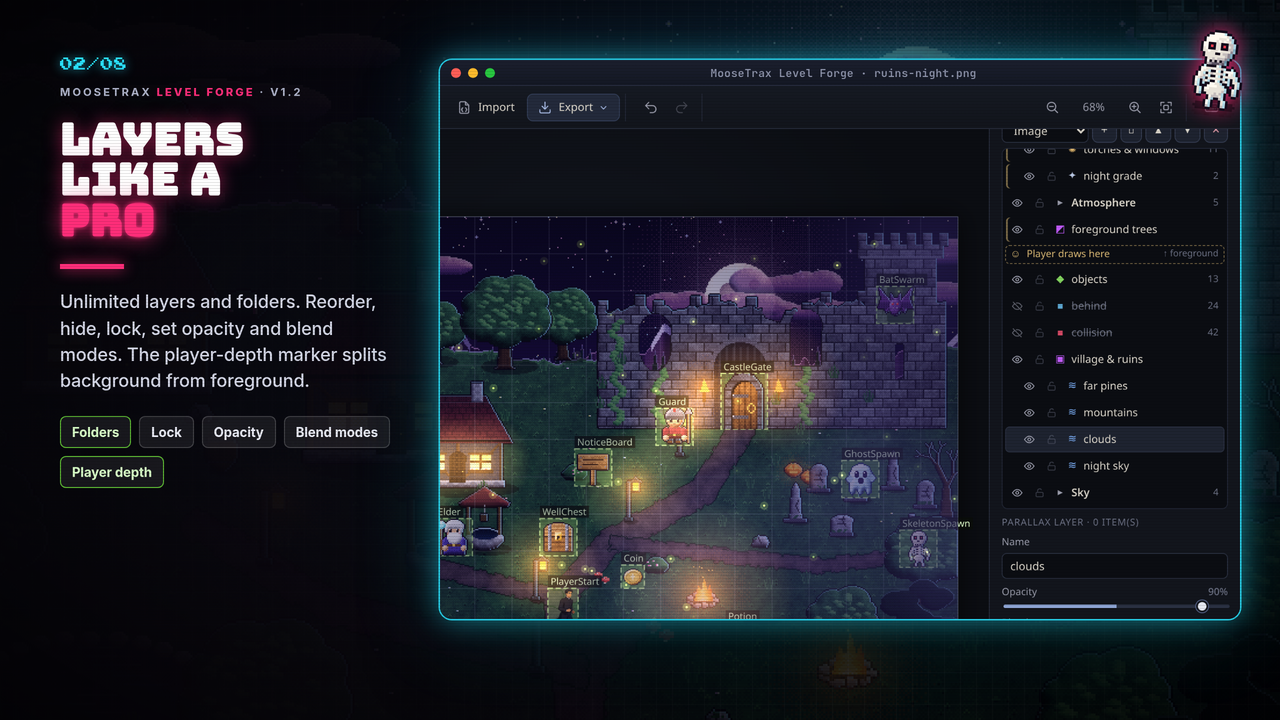
- Layers panel: as many layers as you like, of every kind: image, parallax background, foreground overlay, collision, behind, objects, effects, lights and folders. Rename, duplicate, reorder, hide, lock, set opacity and blend mode (normal, multiply, screen, add). Everything is undoable.
- Player depth marker ("Player draws here"): layers above it draw over the player.
- Parallax backgrounds with factor X / Y, repeat and auto-scroll, previewed live while you pan.
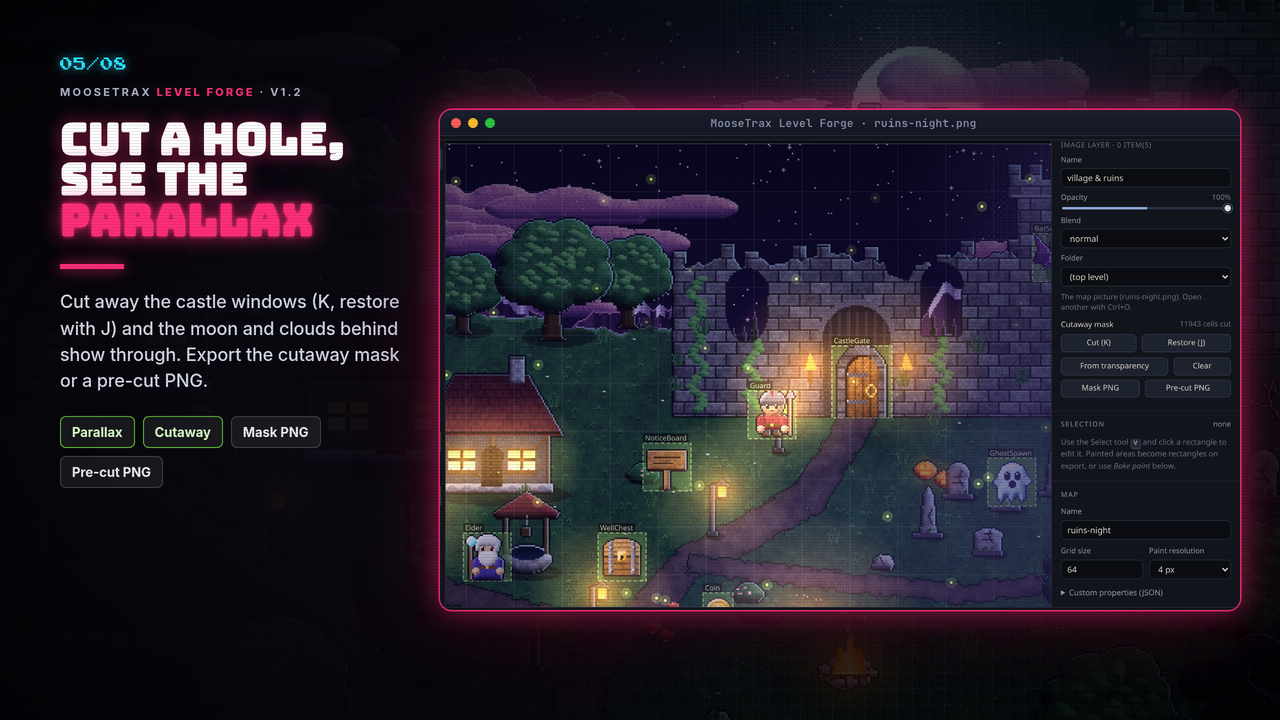
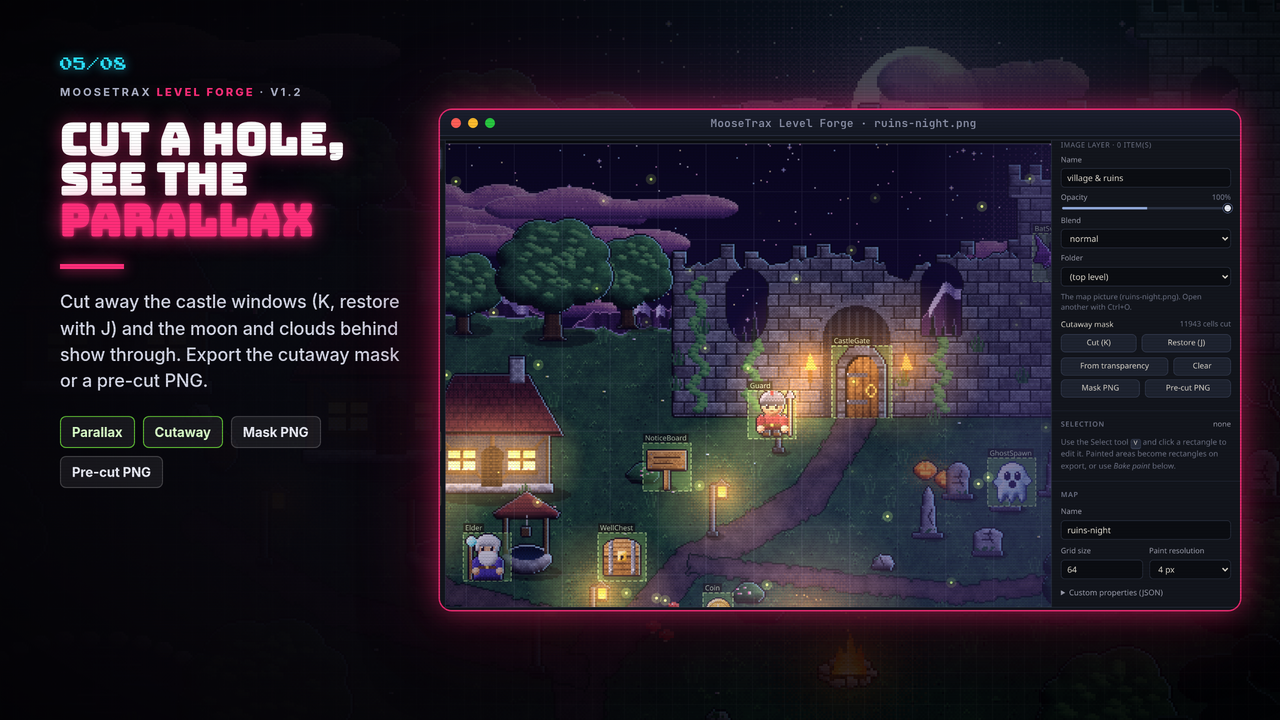
- Cutaway masks: cut (K) and restore (J) parts of a map so the parallax shows through, or build the mask from a pre-cut PNG's transparency. Export the cutaway mask PNG or a pre-cut image PNG.
- Foreground overlays such as tree canopies, placed at X / Y and optionally Y-sorted with the player.
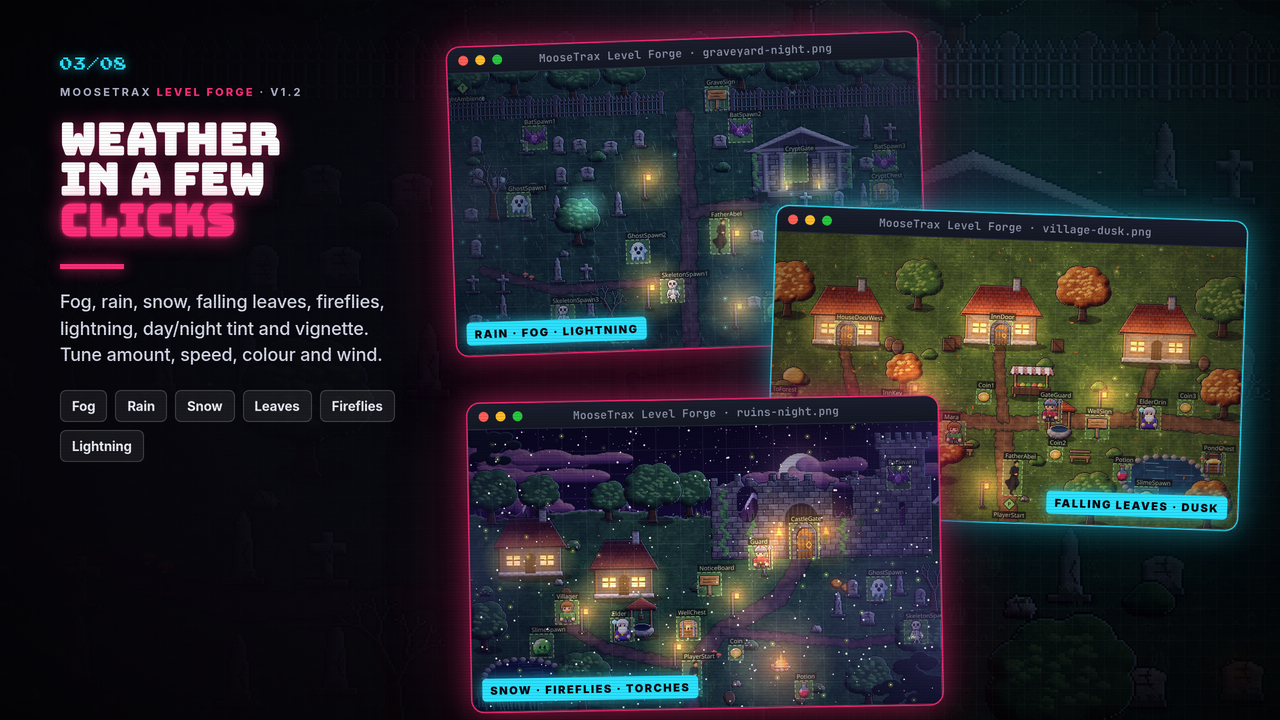
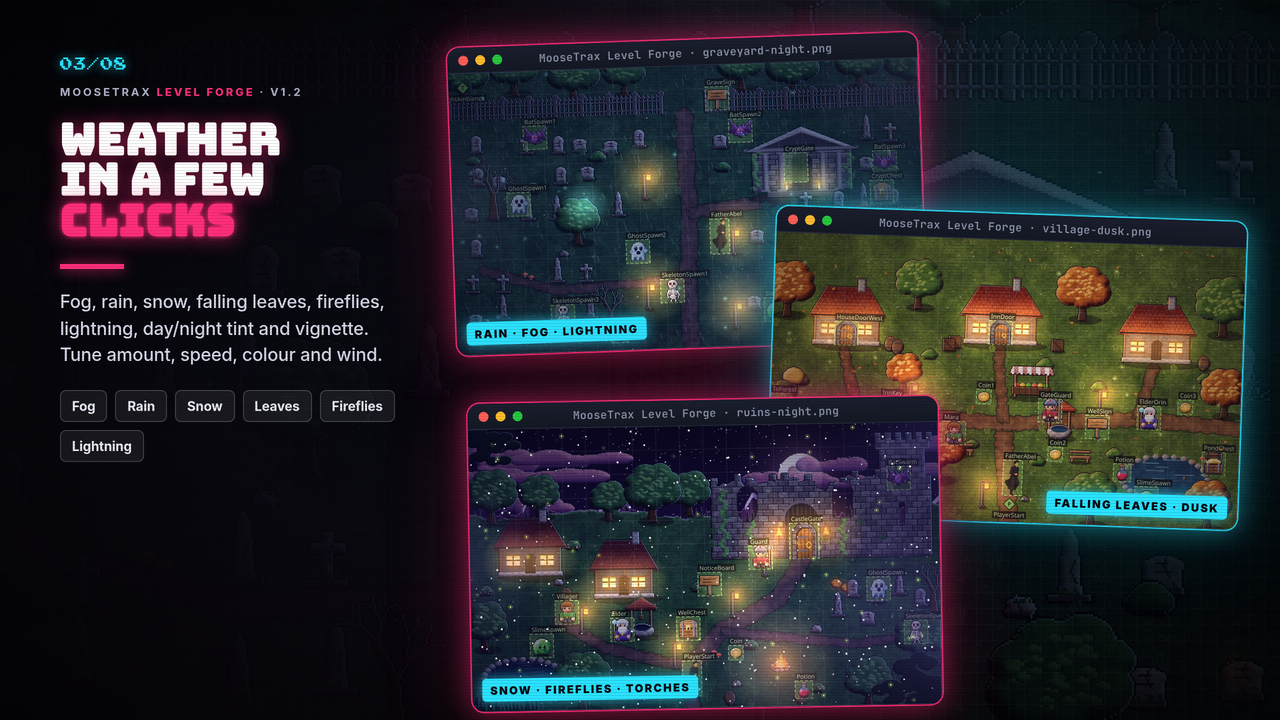
- Effects: fog, rain, snow, falling leaves, fireflies, lightning, day / night tint and vignette, with an animated preview you can pause (P).
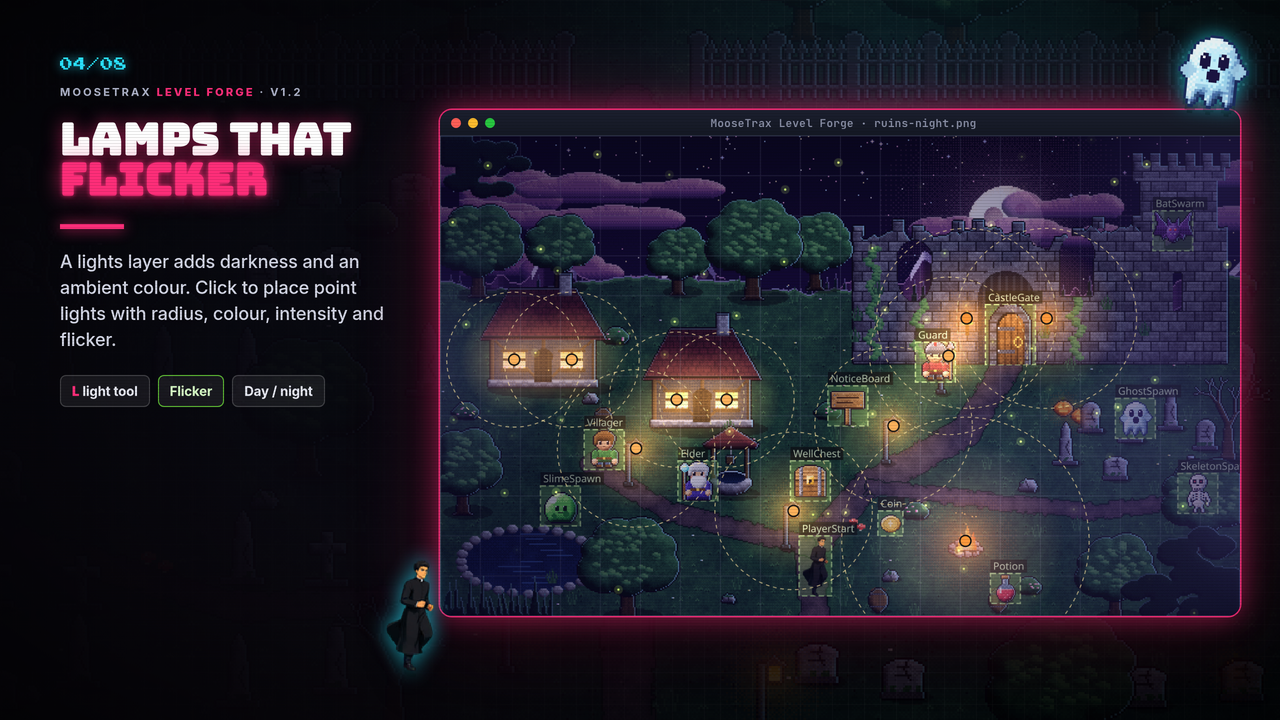
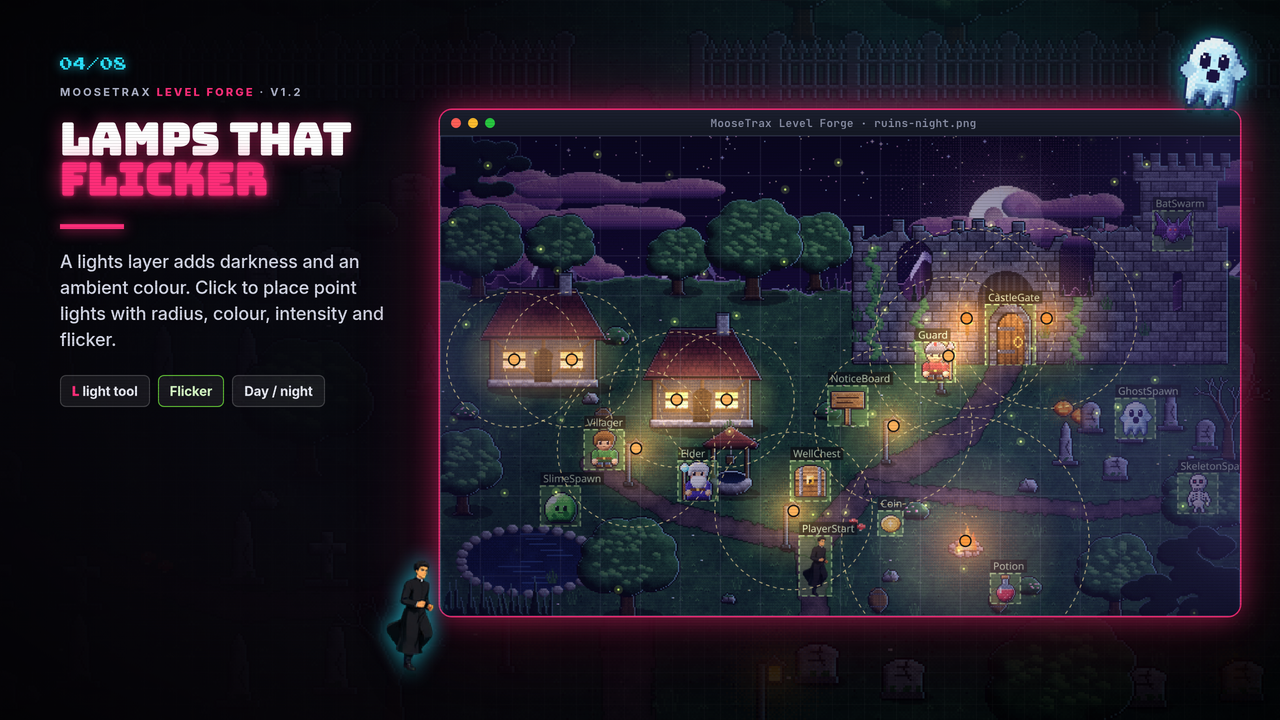
- Lights: darkness with an ambient colour, plus point lights with radius, colour, intensity and flicker (Light tool L).
Objects & events (since 1.1)
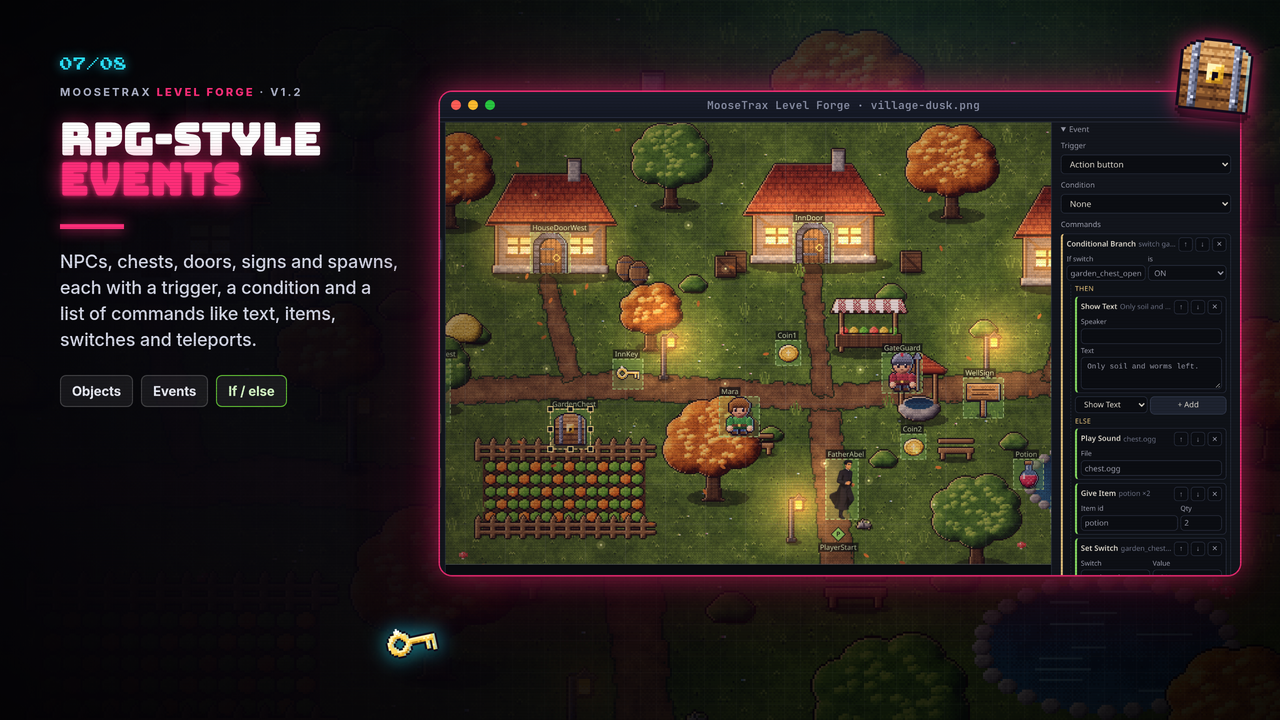
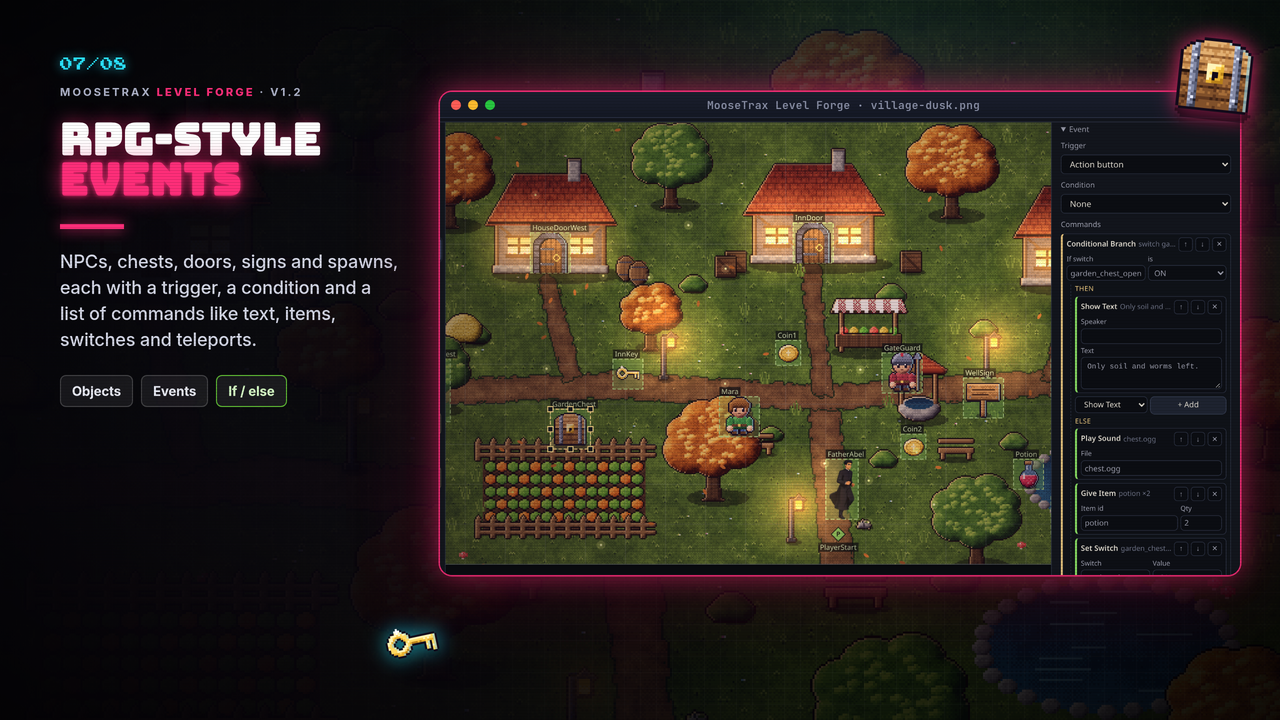
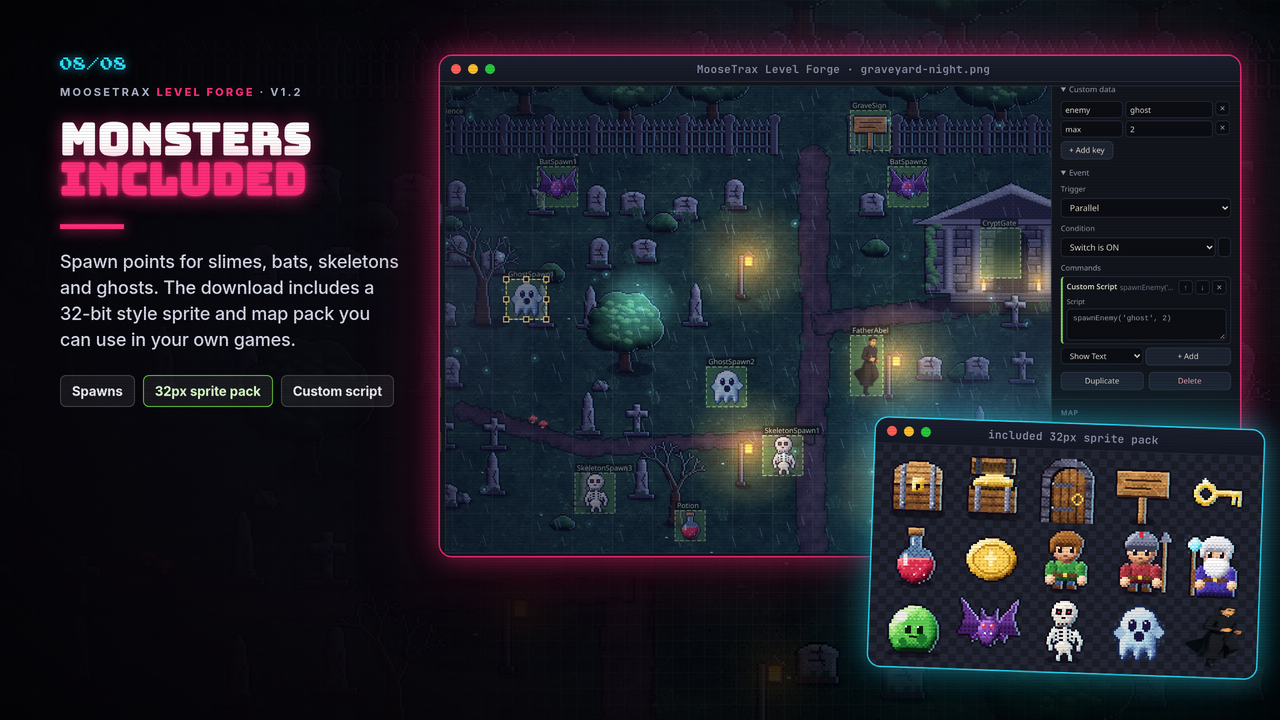
- Place NPCs, chests, doors, signs, spawns, trigger zones and items. Click for a point, drag for a zone. Each one can show a sprite preview.
- One event per object: trigger (Action button, Player touch, Autorun, Parallel), an optional switch or variable condition, and commands such as Show Text, Transfer Player, Give Item, Set Switch / Variable, Play Sound, Wait, If / else and Custom Script.
Still the fast collision painter
- Collision (red) and Behind (blue) brushes from 1 to 256 px. Strokes are merged into as few rectangles as practical when you export.
- Rectangle, Select and Eraser tools, numeric X / Y / W / H, snap to grid and 100 steps of undo.
- Round-trip editing: open your export again and keep working. Files from 1.0 and 1.1 open unchanged.
Export to your engine
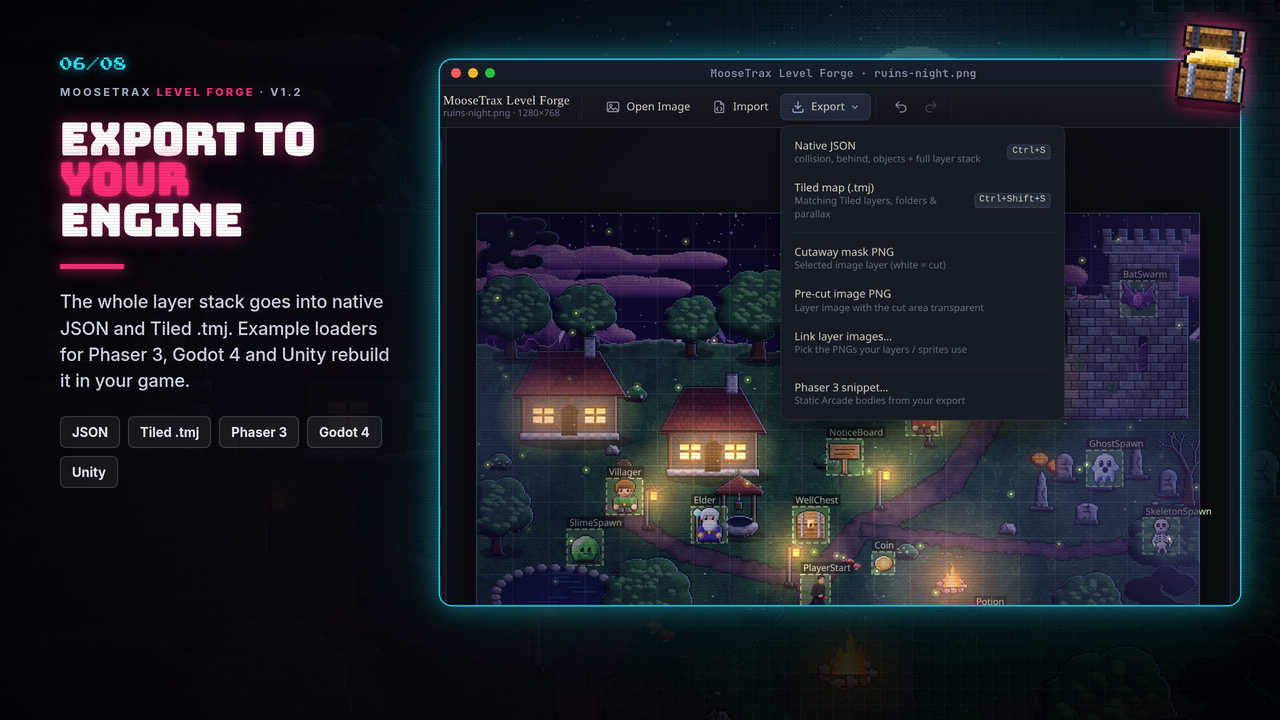
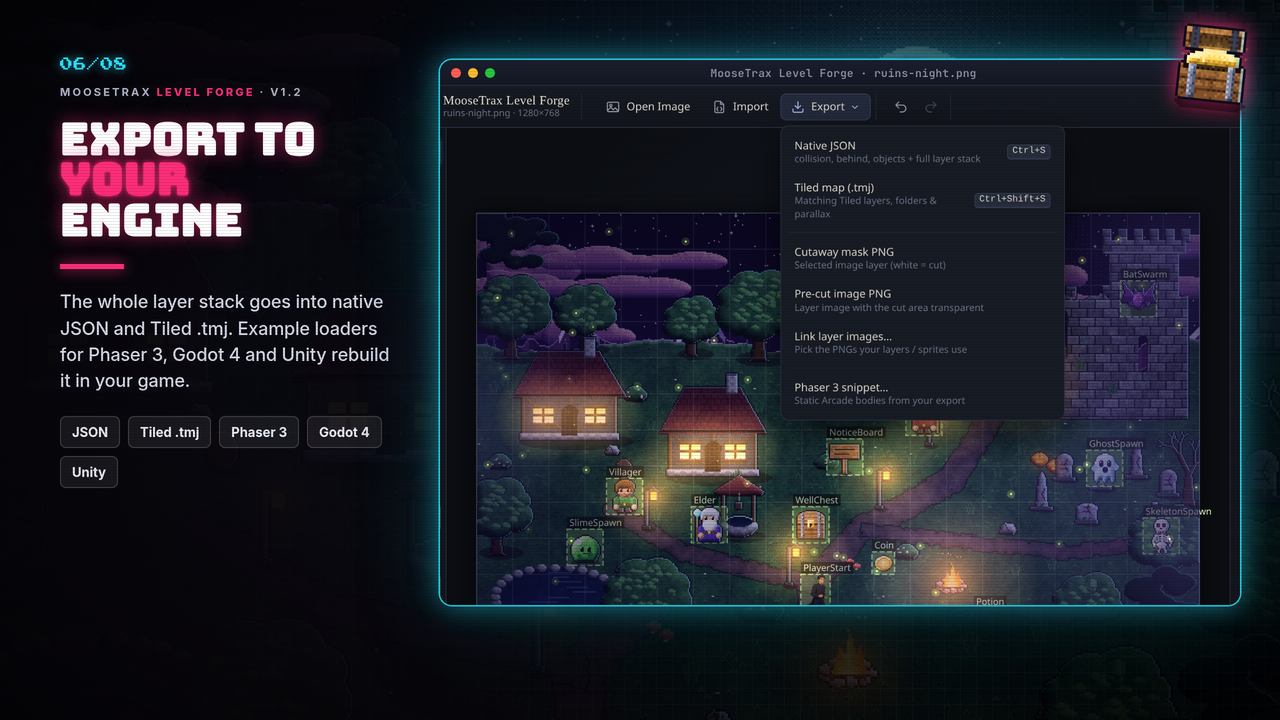
- Native JSON with the full layer stack (
layers[]), pluscollision[],occluders[],objects[],parallax[],overlays[],effects[]andlights[]. - Tiled map (
.tmj): the whole stack as Tiled layers, with group layers for folders and parallax settings on image layers. - Phaser 3: a loader snippet, and
examples/phaser3-scene.js, which rebuilds images, cutaways, parallax, overlays, effects and lights. - Godot 4 and Unity: example loaders in
examples/rebuild the layer stack, effects, lights and objects from the JSON or.tmjexport. There is no separate Godot or Unity export button.
What's in the download
- Desktop builds for Windows (zip), macOS (Apple Silicon and Intel zips) and Linux (zip or AppImage), plus a web version zip that runs in your browser.
- 4 pixel-art demo maps with collision files, and a layered sky-island demo with parallax clouds, a cutaway, a canopy overlay, rain, fog, fireflies and lamps
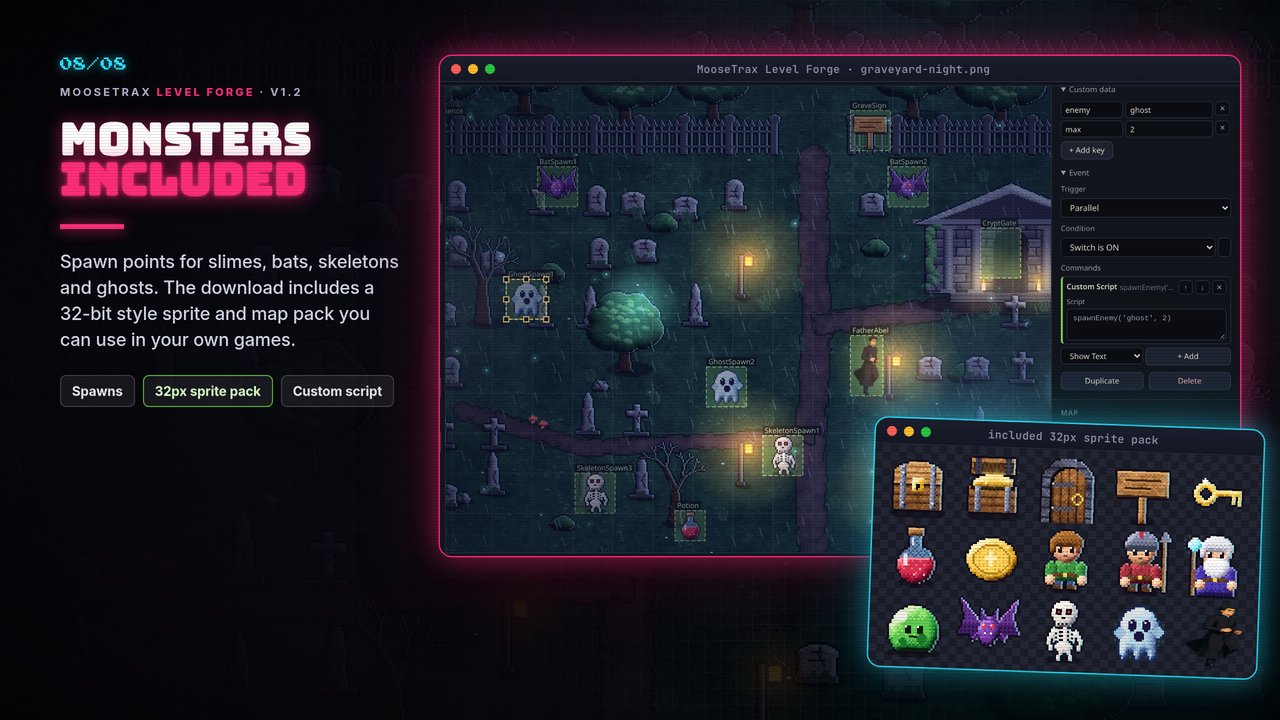
- Example sprites you can use in your own games: chests, door, sign, three NPCs, key, potion, coin, slime, bat, skeleton and ghost with idle frames, and a priest with a 16-frame run cycle
- 32-bit style art pack (
examples/sprites32/andexamples/maps32/): 66 sprites (27 objects, 15 items, 9 NPCs, 12 monsters incl. a 64px dark-knight boss and a mimic, 3 effects) with animation strips, category sheets andsprites32.json, plus maps32 including a village-showcase level with 25 objects. These are example sprites and maps so you can try the tool right away. They're not a full game art set, but you're welcome to use them in your own games (see LICENSE-SPRITES.txt). - Phaser 3, Godot 4 and Unity examples,
README.md,CHANGELOG.mdandLICENSE-COMMERCIAL.txt
Honest notes
- No installer: every download is a zip (or the Linux AppImage). Unzip and run. On Windows, SmartScreen may warn the first time because the app isn't code-signed; click More info → Run anyway.
- macOS: the app is not notarized by Apple. The first time, right-click (or Ctrl-click) it and choose Open, then Open again. On macOS 15 and later you may need System Settings → Privacy & Security → Open Anyway.
- The Godot 4 examples were tested in Godot 4.7.2.
- The Unity scripts were compiled and run against stand-ins (stubs) for the Unity API. They have not been run inside the Unity editor yet. Please report anything that breaks.
- Each engine draws effects, blend modes and lights a little differently from the editor preview. For example, Godot has no screen blend, so screen is drawn as add. The README lists the differences.
- Level Forge stores your events. Your game runs them, using the included examples or your own code.
System requirements
64-bit Windows, macOS (Apple Silicon or Intel) or 64-bit Linux. The web version needs a current Chrome, Edge, Firefox or Safari. A 1280×800 screen and a mouse are recommended.
License (summary)
- Use everything you export in any project, free or commercial. No royalties, no credit required.
- The demo maps and example sprites may be used in your own games, but not resold or shared as a standalone asset or sprite pack.
- Please don't resell or redistribute the tool itself. Full terms are in
LICENSE-COMMERCIAL.txt.
Questions or found a bug? Leave a comment below. — Johnny, MooseTrax Gaming Studio
Purchase
In order to download this tool you must purchase it at or above the minimum price of $4.99 USD. You will get access to the following files:
Development log
- Level Forge 1.2: Layers, Parallax, Weather & Lights!12 hours ago
Leave a comment
Log in with itch.io to leave a comment.