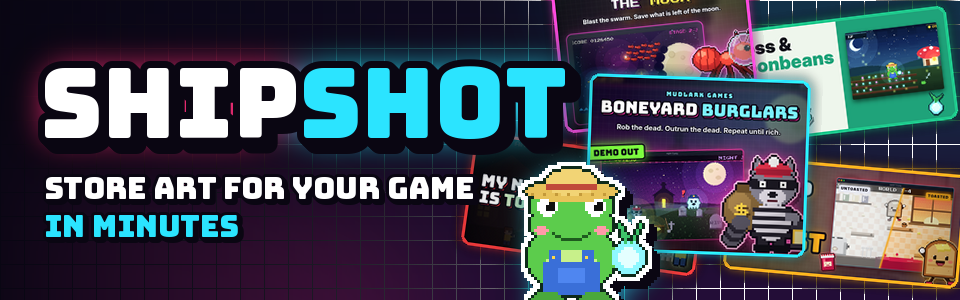
ShipShot
A downloadable tool for Windows, macOS, and Linux
Your game is great. Your thumbnail is a blurry screenshot with tiny text.
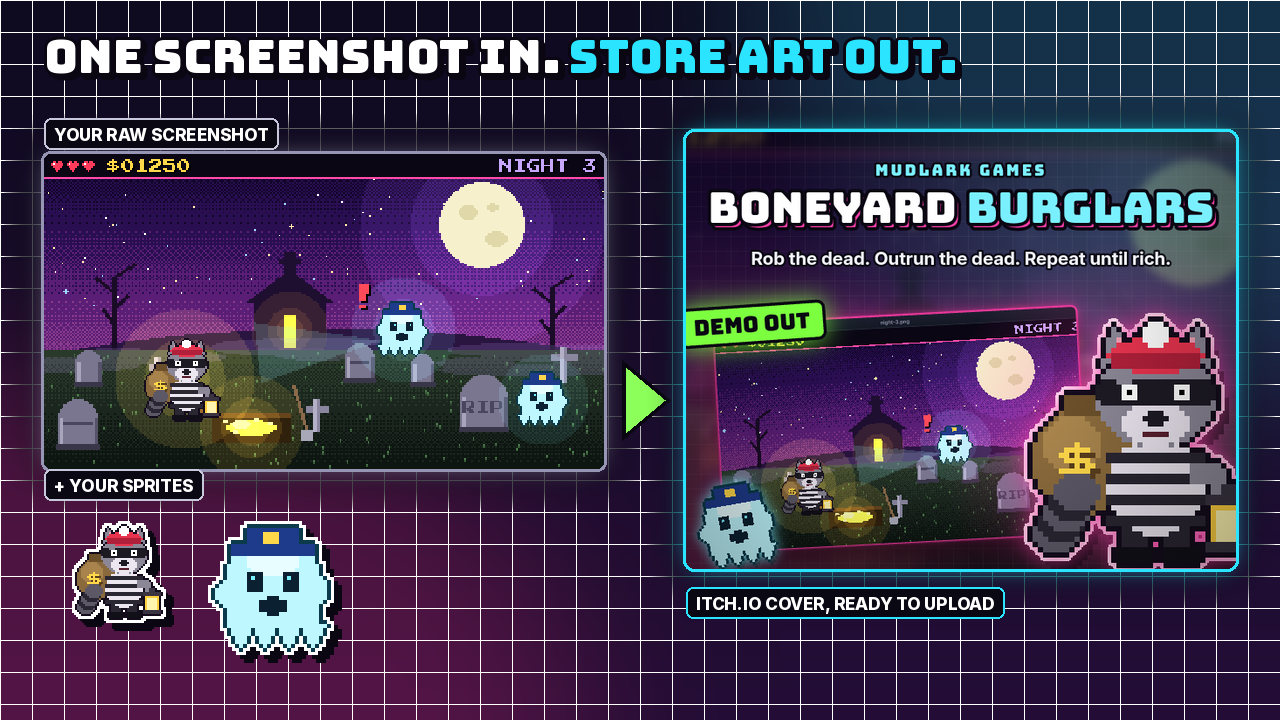
Store pages get judged at thumbnail size, in a scroll, in about a second. ShipShot turns one screenshot and a couple of sprites into loud, readable store art for itch.io, Steam, YouTube, X and Pinterest, all 14 sizes at once, right on your PC, and you can add more with size packs. No design skills, no subscriptions, no internet needed.
New in 1.1: size packs
Add export sizes without touching code. Import a .shipshot-pack.json file (File ▸ Import Size Pack…, or drag it onto the window) and its sizes show up next to the built-in ones, with notes and safe-area guides. Packs stay installed, and each one gets its own Export pack ZIP button. Packs can also make square app icons, JPG files and soft page backgrounds, and add their own thumbnail checks. 1.1 is a free update for everyone who owns ShipShot.
The ShipShot Steam Store Page Kit (sold separately) is a size pack with every remaining Steam size, so one project exports all 17 Steam store, library, icon and event images, plus a store-page playbook.
What it does
- Drop in your stuff. Drag screenshots, an optional "after" screenshot, your logo and character sprites onto the window. Small images become sprites automatically.
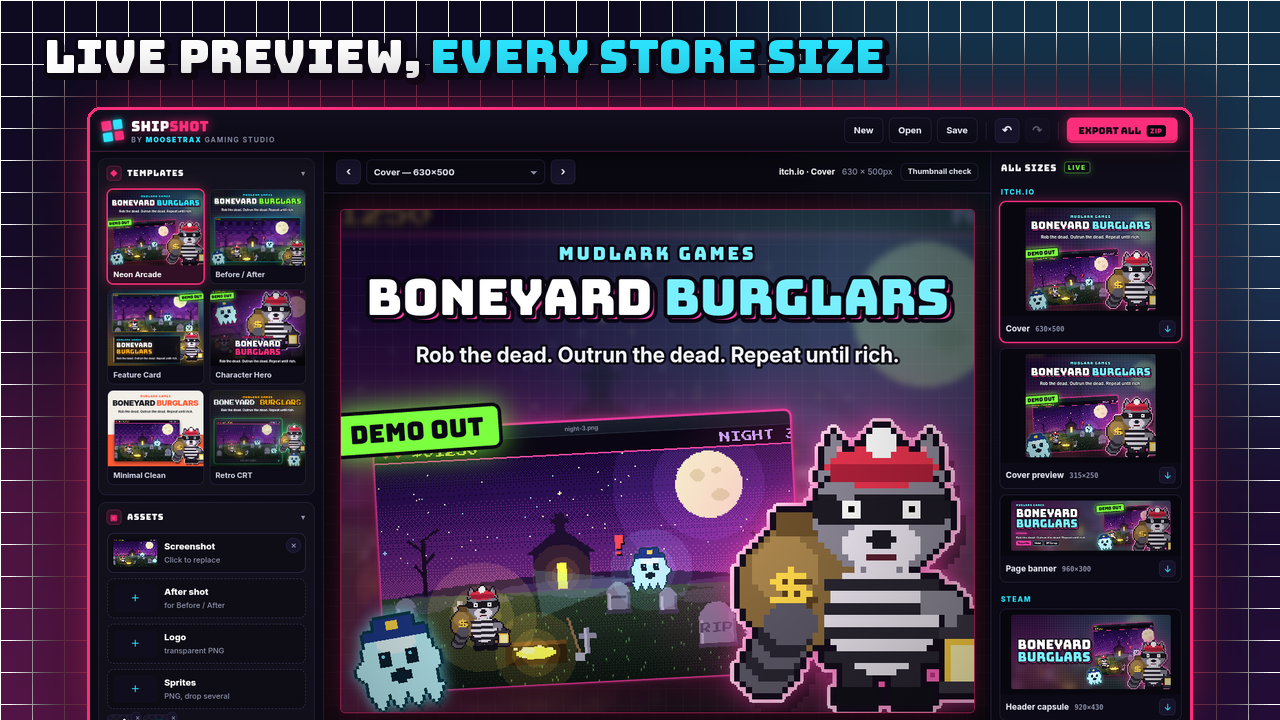
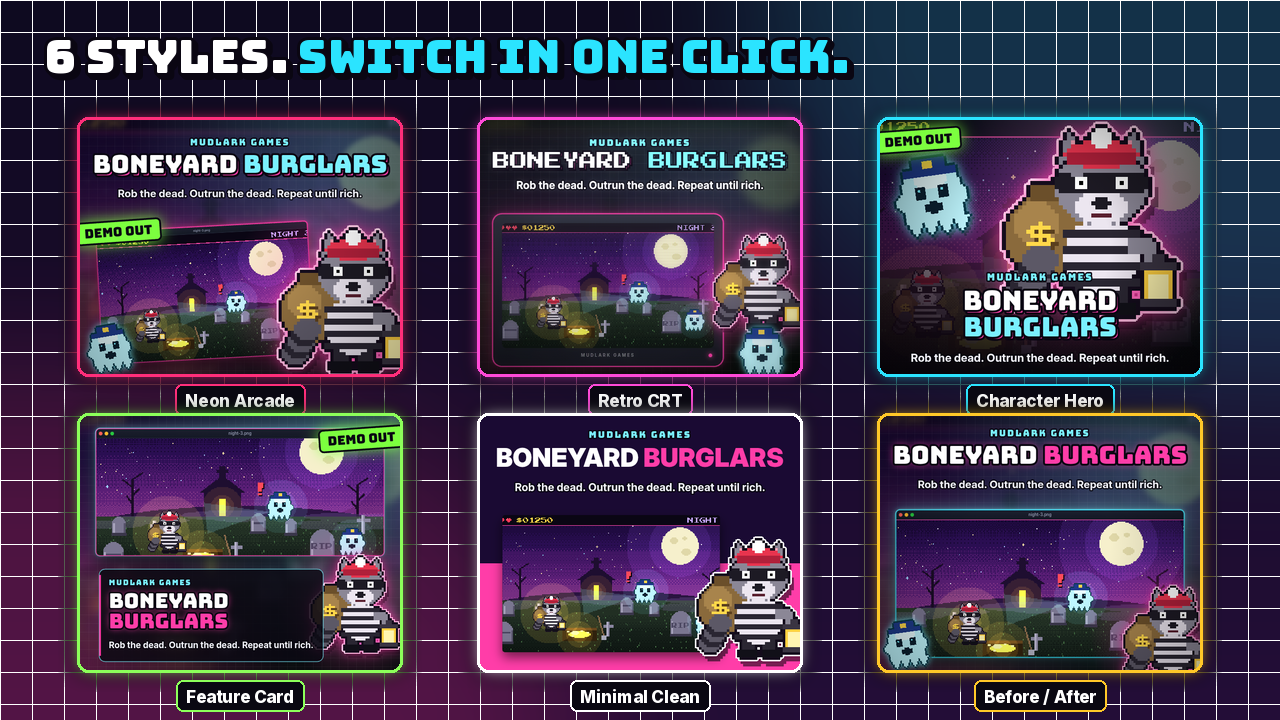
- 6 styles, one click: Neon Arcade, Retro CRT, Character Hero, Feature Card, Minimal Clean and Before / After. Each one has its own layout for wide, landscape, square and tall sizes.
- Big titles that fit. ShipShot tries different line breaks and keeps the biggest one that fits, with a chunky outline so it reads on any art. Wrap a
*word*in stars to light it up. - Your hero, front and center. Your first sprite gets drawn large and pixel-crisp with a glow, a sticker outline and a drop shadow, and it can break out of the frame.
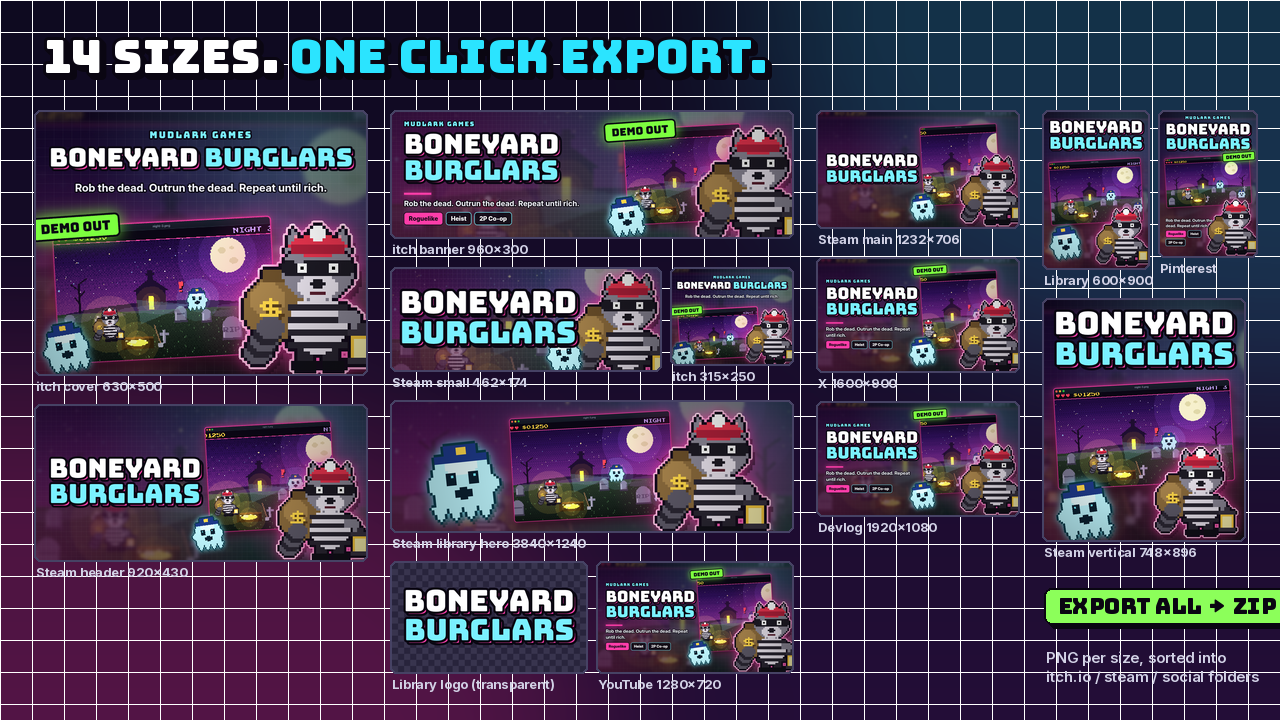
- Live preview of all 14 sizes side by side as you edit: itch cover, cover preview and banner; Steam header, small, main, vertical, library, library hero and library logo; X post, Pinterest pin, YouTube thumbnail and a 1920×1080 devlog image.
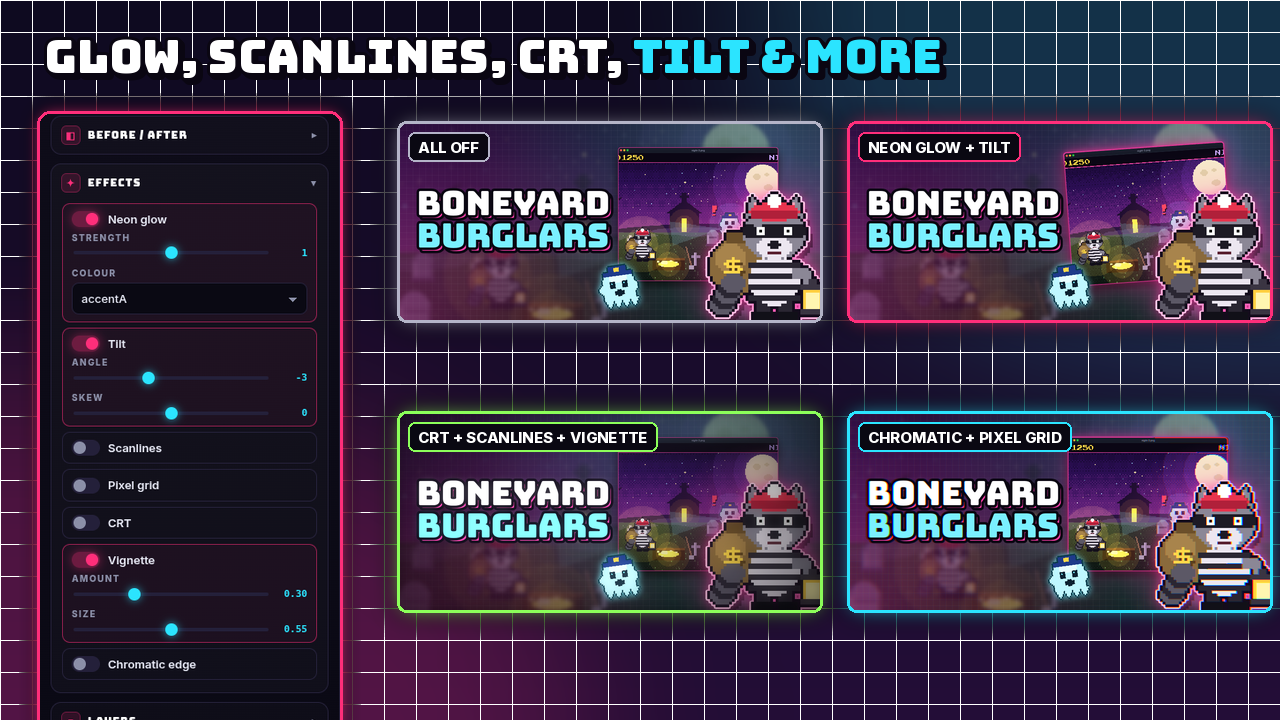
- Glow, scanlines, CRT and more: neon glow, tilt, scanlines, pixel grid, CRT bloom + RGB mask, vignette and chromatic edge, each with its own sliders.
- Colours from your game: pick accents by hand or pull a palette straight from your screenshot.
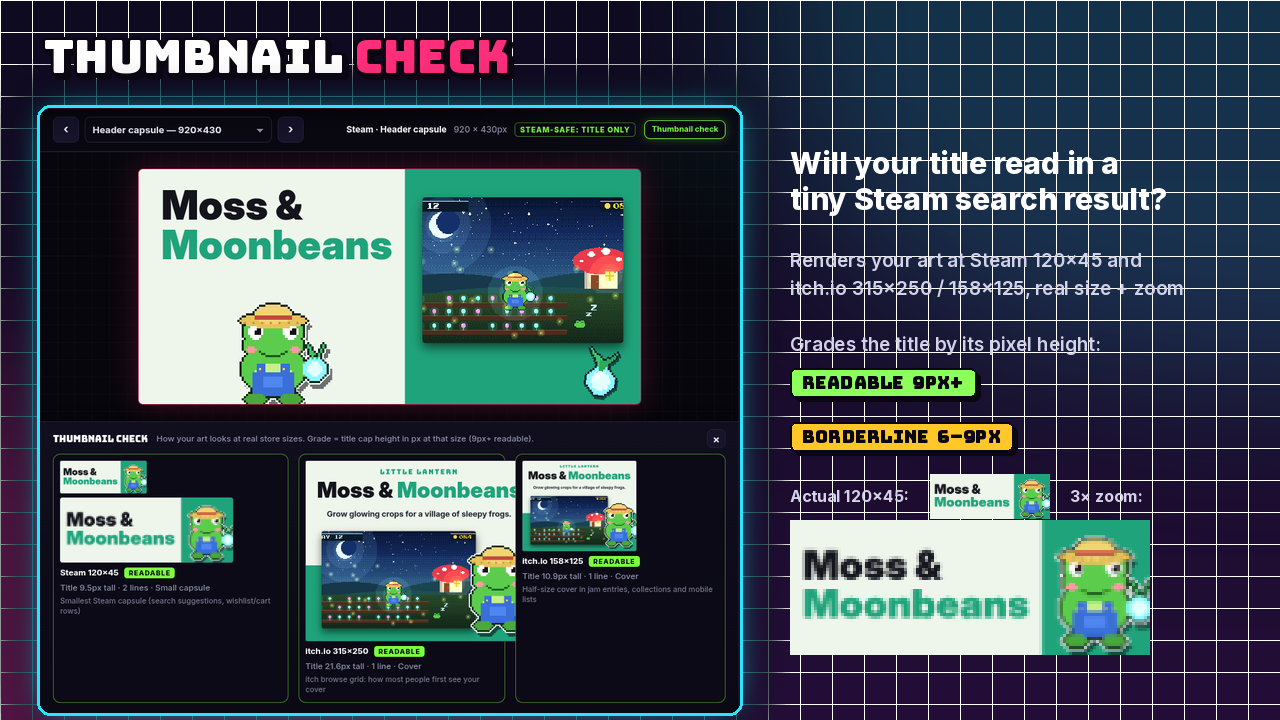
- Thumbnail check. See your art at Steam's 120×45 and itch's 315×250 and 158×125, at real size and zoomed in. ShipShot measures how tall your title is at each size and tells you if it's readable or borderline.
- Steam-safe mode. Steam capsules only get your art and title, no taglines or badges, matching Valve's rules for base capsules. The library logo exports as a transparent PNG.
- Export all at once. One click gives you a ZIP with a PNG for every size, sorted into itch.io / steam / social folders, plus your project file. Every size also has its own download button.
- Pixel-perfect scaling, before/after split slider, screenshot frames (neon window, monitor/handheld, none), layer order, undo/redo, save/open projects and autosave.
- Runs offline. Everything happens on your computer. No account, no uploads, nothing sent anywhere.
- Size packs (new in 1.1): import extra export sizes from a small
.shipshot-pack.jsonfile. No code needed.
How to use it
- Download
shipshot-v1.1.0-win-x64.zip, unzip it anywhere and double-clickShipShot.exe. ShipShot opens in its own window. (Windows may show "Windows protected your PC" the first time because the app isn't code-signed: click More info > Run anyway.) - Drop in a screenshot of your game (and your sprites or logo if you have them).
- Type your title and tagline, then pick a style.
- Click through the sizes on the right and tweak colours and effects.
- Open the Thumbnail check to make sure the title reads small.
- Hit Export all, choose where to save the ZIP, and upload the PNGs to your store page.
Want to try it before you have art ready? Click Load demo art to get a full example game set to play with.
System requirements
- Windows 10 or 11 (64-bit). Mac (Apple Silicon or Intel) and Linux (x64) builds are included too.
- About 400 MB of free disk space once unzipped
- No install, no browser and no internet connection needed. Unzip and double-click
ShipShot.exe. It runs offline from the unzipped folder. - A screen of 1600×900 or larger works best
What you get
- The ShipShot 1.1.0 desktop app:
shipshot-v1.1.0-win-x64.zip(Windows),-mac-arm64.zip/-mac-x64.zip(Mac, not notarized: right-click > Open the first time) and-linux-x64.zip/.AppImage(Linux), each with HOW TO START.txt and LICENSE.txt - Bundled fonts: Bungee, Press Start 2P and Inter (SIL Open Font License)
- Example art: a demo game set built into the app, plus the example sprites and screenshots as PNGs in
demo-art/
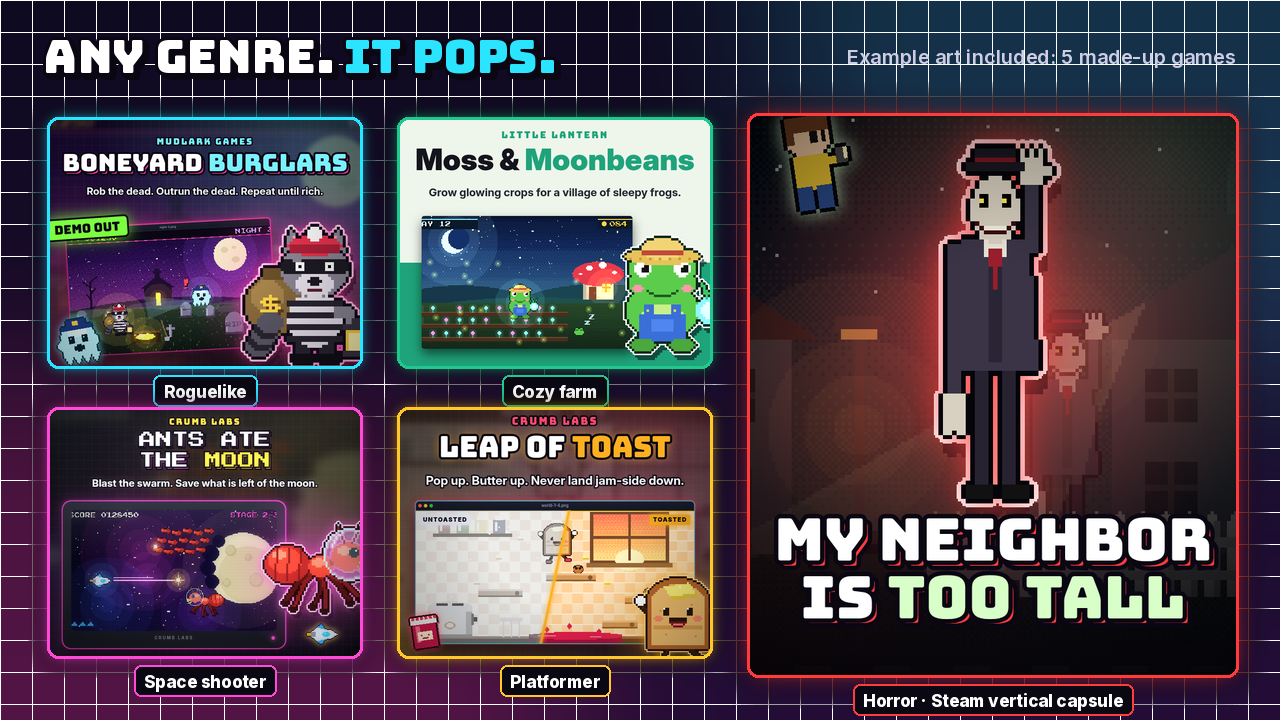
The demo games and art included with ShipShot (Boneyard Burglars and friends) are made-up example projects so you can try the tool right away. You may use them as described in the ShipShot license.
AI disclosure
ShipShot's code was written with the help of AI. All the art in the app and on this page was drawn by code (pixel by pixel, in Python), not generated by an AI image model.
Price
$7.99. Launch sale: $5.99 for a limited time.
Made by MooseTrax Gaming Studio.
Purchase
In order to download this tool you must purchase it at or above the minimum price of $5.99 USD. You will get access to the following files:
Leave a comment
Log in with itch.io to leave a comment.